
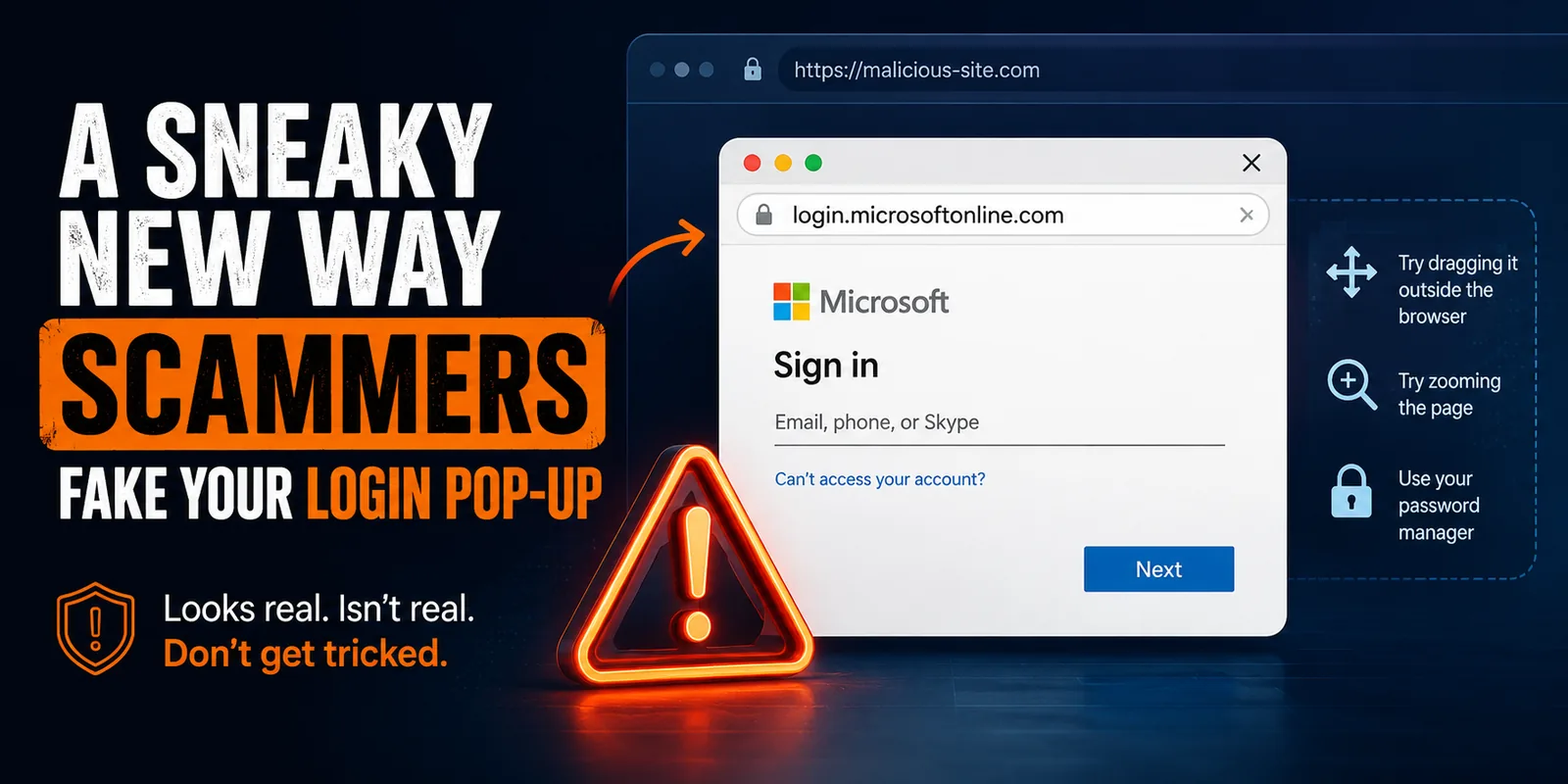
A Sneaky New Way Scammers Fake Your Login Pop-up
Most of us are used to seeing a small pop-up window appear when we click “Sign in with Microsoft” or “Sign in with Google” on a website. It feels routine, which is exactly why scammers have built a technique to fake it.
This is known as a “browser-in-the-browser” attack, and it matters because the fake pop-up can look pixel perfect, address bar and all, even though it is not a real window at all.
What is actually happening
Instead of building a fake website, attackers build a fake pop-up. It sits inside the page you are already on and is made entirely from the same web design tools your browser uses every day. It can show a padlock icon and a web address such as login.microsoftonline.com, and it can even be dragged around the screen a little to feel more convincing. None of that is real. Whatever you type into it goes straight to the attacker.
This technique has already been used to target Microsoft 365, Google, and Facebook logins, and it is now built into some off the shelf phishing kits, which means it is becoming more common rather than less.
A simple way to check
- Try dragging the pop-up window outside the edges of your browser window. A real pop-up is its own separate window and will move freely onto your desktop. A fake one is just part of the page and will stop dead at the browser’s edge
- You can also try zooming the page with Ctrl and plus, or Ctrl and minus. A real pop-up stays the same size. A fake one will scale up or down with the rest of the page
- If you use a password manager, let it try to autofill the form. It checks the real website address behind the scenes, so it will simply refuse to fill in a fake pop-up
You can read more about how this technique works, including real examples, in this write-up from Kaspersky: What a browser-in-the-browser attack is, and how to spot a fake login window.
If you ever see a login pop-up that feels slightly off, or you are not sure whether to trust it, please contact Anvil support before entering any details. We are happy to help you check.
Stay sharp,
The Anvil Team